 | ||||||||||||||||||
 | ||||||||||||||||||
 |
|
| ||||||||||||||||
 | ||||||||||||||||||
 Loop
Loop| Tutorials: Mute Line-in while using the editor | Friday, April 26, 2024 |
| Play Control |
|
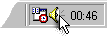
Double-click the speaker icon in the system tray. Windows XP Windows Me/9x/2000 |

Before you cut songs in the editor: Mute your original source!
If you still hear the original music from the radio or other source it would be hard to cut the recording.
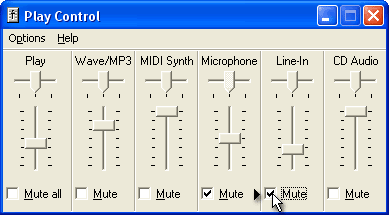
- Open your Play Control mixer by double clicking the little speaker icon near the system clock.
- Mute Line-in by activating the Mute switch.
 Back to the tutorial index
© 1999 – 2024 Thomas Riechmann, Gerald Riechmann, all rights reserved.